Magnetic Portable Charger for Apple: Snap-On Power
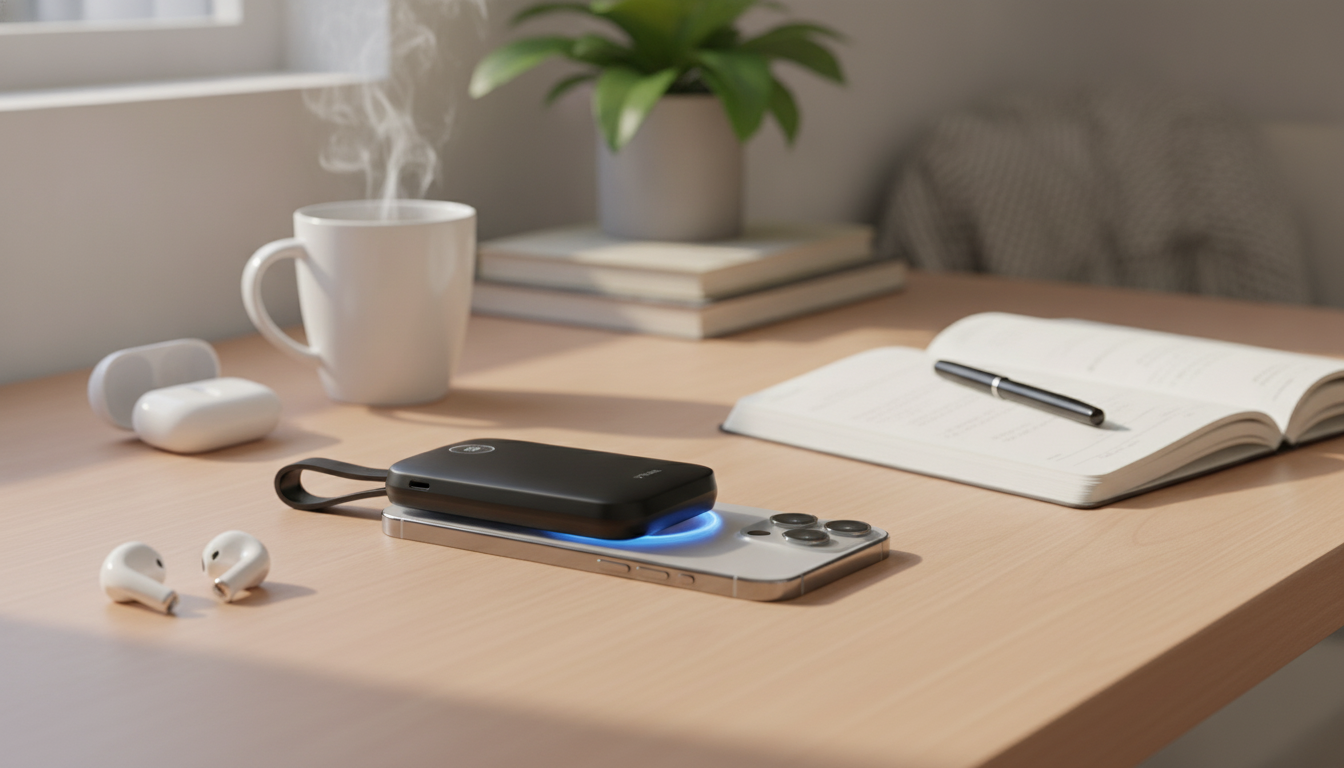
Magnetic Portable Charger for Apple Devices: Snap-On Power for Busy Days
A magnetic portable charger makes it easier to top up an iPhone without juggling cables—especially during commuting, travel, or long event days. Instead of hunting for an outlet or managing a dangling cord, a snap-on battery pack can stay aligned while you text, scroll, navigate, or take calls. Below is a practical guide to how these chargers work in an Apple-focused setup, what affects real-world performance, and how to get steadier, safer charging on the go. For more guidance, see Wireless Charging Pads: iPhone, Samsung, Android | Belkin US.
What a magnetic portable charger does (and why it feels simpler)
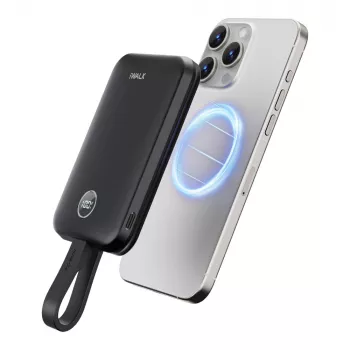
A magnetic portable charger is essentially a compact battery pack that wirelessly sends power into your phone while magnets help keep the charging coils aligned. That alignment is the difference between “it’s charging reliably” and “it keeps cutting in and out.” For further reading, see MagSafe (wireless charger) – Wikipedia.
- It attaches to the back of compatible iPhones with magnetic alignment, helping the charging coil line up consistently.
- It charges while walking, scrolling, or taking calls—less strain on a charging port and fewer dangling cables.
- It can still serve as a compact backup battery even when magnetic alignment isn’t available (depending on the device/case and whether your phone supports wireless charging).
- It works best as a daily “top-up” tool—great for extending battery life between outlets rather than replacing overnight charging.
For Apple users who already rely on wireless charging at home, magnetic snap-on power is the mobile version of that convenience—quick to attach, easy to remove, and simple to stash in a pocket or small bag.
Compatibility checklist for Apple devices and cases
Magnetic attachment and wireless charging are related, but not the same. Some iPhones can charge wirelessly without snapping on magnetically, and some cases can make either experience worse.
- iPhone compatibility is usually strongest with MagSafe-enabled models; older iPhones may still charge wirelessly but won’t magnetically snap in place.
- Case thickness matters: slim MagSafe-compatible cases typically perform best; thick or non-magnetic cases can weaken hold and reduce charging efficiency.
- Camera bumps can affect how flat the charger sits—solid alignment improves charging stability.
- For AirPods cases that support wireless charging, placement and coil alignment can be more finicky than with iPhone.
Quick compatibility and setup guide
| Device or setup | Magnetic snap-on | Wireless charging expected | Tip for best results |
|---|---|---|---|
| MagSafe iPhone (with MagSafe case) | Yes | Yes | Center the pack; keep the case clean and flat |
| MagSafe iPhone (no case) | Yes | Yes | Avoid pocket lint between surfaces for better grip |
| Non-MagSafe iPhone | No (may stick weakly with accessories) | Sometimes (wireless models only) | Use a cable or a MagSafe-compatible case with a magnetic ring |
| AirPods with wireless charging case | No | Yes | Place carefully; confirm the charging indicator turns on |
If you want to sanity-check what MagSafe does (and which iPhones support it), Apple’s overview is a helpful baseline: Apple Support: About MagSafe on iPhone. For broader wireless charging compatibility, the Qi standard is maintained by the Wireless Power Consortium.
Everyday performance: what to expect from wireless power on the go
Wireless charging is designed around convenience and consistency, not necessarily maximum speed. In real life, a magnetic portable charger shines when you use it for short boosts—between meetings, during errands, or on a transit ride—so your battery doesn’t free-fall to 5%.
- Wireless charging typically runs slower than wired charging, but it’s convenient for short boosts throughout the day.
- Heat is normal with wireless charging; heavy multitasking, direct sunlight, or warm environments can increase warmth and slow charging.
- Charging speed and stability depend on alignment, case material, and whether the phone is being used while charging.
- A secure magnetic hold helps maintain consistent coil alignment, which can reduce start/stop charging.
A good rule of thumb: treat a snap-on battery pack like a “range extender.” It’s ideal for keeping your iPhone comfortably above low-battery stress levels, especially on days with lots of navigation, photos, streaming, or calls.
How to use a magnetic portable charger without interruptions
Charging safely and protecting battery health
Fits well with an Apple charging routine
For a clean home base, pair a snap-on battery pack with a dedicated station like the 3-in-1 Apple Charging Station for iPhone, AirPods & Apple Watch, then rely on a pocketable option when you’re away from your desk.
Magnetic Portable Charger for Apple Devices: product highlights
If the goal is quick, cable-free power that doesn’t get in the way, the Magnetic Portable Charger for Apple Devices is built around easy attachment and everyday practicality. It’s a strong fit for commutes, travel days, conferences, and any time you want a simple top-up without committing to a wall outlet.
At-a-glance
| Item | Details |
|---|---|
| Product | Magnetic Portable Charger for Apple Devices |
| Price | 33.67 USD |
| Availability | In stock |
FAQ
Will a magnetic portable charger work with any iPhone?
MagSafe-enabled iPhones are the most seamless because the battery pack snaps into place magnetically. Older iPhones may still charge if they support Qi wireless charging, but they typically won’t align magnetically unless you use a compatible case or ring accessory.
Why does charging stop and start when using a snap-on battery pack?
The most common causes are slight coil misalignment, thick or non-MagSafe cases, movement in a pocket or bag, or heat-related charging slowdowns. Reseating the pack, removing a bulky case, cleaning contact surfaces, and letting the phone cool usually restores steady charging.
Is wireless charging slower than using a cable?
Yes, wireless charging is often slower due to efficiency limits and heat management. It’s best for convenient top-ups, while wired charging is the better choice when you need the fastest possible power-up.








Leave a comment