Wired Gaming Headset Mic Guide: Clear Chat & Stable Audio
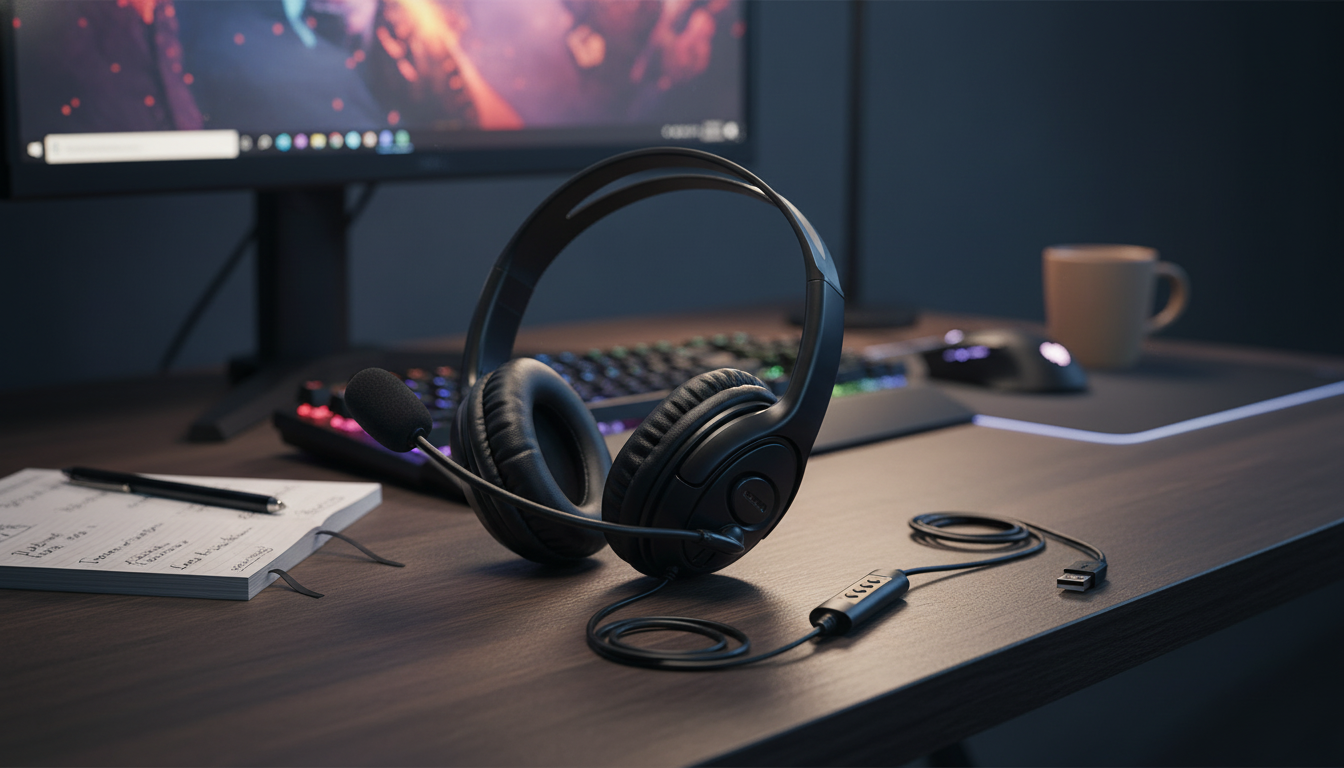
Wired Gaming Headset with Microphone: Clear Comms, Plug-and-Play Audio
A wired headset keeps gaming audio stable and voice chat reliable without worrying about charging or wireless dropouts. The right pick comes down to a few practical details—how it connects, how clearly it reproduces directional cues, how your voice sounds in chat, and whether it stays comfortable through long sessions. Below is a straightforward breakdown of what matters most, plus an affordable option that fits a daily gaming setup.
What a Wired Gaming Headset Does Best
Wired gaming headsets are still a go-to for players who want predictable performance day after day. Because the headset is physically connected, it avoids the two biggest wireless pain points: battery management and intermittent dropouts.
- Consistent connection for both game audio and voice chat—no pairing steps, no battery anxiety.
- Lower latency than many wireless setups, which can help with timing-sensitive games where audio cues matter.
- Fast setup: plug in, select the headset as your input/output device, and start playing.
- Practical for shared setups (family PC, dorm console, LAN nights) where multiple users swap gear.
Quick Specs Checklist (What to Confirm Before Buying)
Before clicking “buy,” confirm a few specs that determine whether the headset will work seamlessly with your devices and play style.
| Feature | Why it matters | What to look for |
|---|---|---|
| Connection | Determines compatibility with PC, console, and controllers | 3.5 mm for broad support; adapter if a device needs separate mic/audio |
| Microphone | Voice clarity in team chat and calls | Adjustable boom mic; easy-access mute |
| Comfort | Long sessions without pressure points | Cushioned ear pads, adjustable headband |
| Isolation | Helps focus and reduces outside noise | Closed-back ear cups for louder rooms |
| Controls | Faster adjustments mid-match | Inline volume + mute switch |
A quick note on connectors: many controllers and laptops expect a single 3.5 mm TRRS plug (combined audio + mic). Some desktop PCs still use separate ports for headphones and microphone; in that case, a splitter adapter is the simple fix.
Sound Performance for Games
For gaming, “good sound” isn’t only about booming bass—it’s about separating details so you can react faster and stay oriented.
- Balanced tuning helps keep footsteps, reloads, ability cues, and dialogue distinct instead of blending together.
- Closed-back isolation typically improves immersion by lowering room noise, which is useful in louder households or shared spaces.
- Stereo clarity matters for positional cues; many games also offer spatial audio settings that can enhance directionality (especially with clean left/right separation).
- Competitive focus: prioritize clear mids/highs (where many cues live) over exaggerated bass that can mask detail.
If a game offers an audio mix like “Headphones,” “Night Mode,” or “Competitive,” try those presets first. They often reduce explosions and boost the range where footsteps and movement cues sit.
Microphone Quality and Chat Reliability
A microphone that’s easy to position and easy to mute can be the difference between smooth coordination and constant callouts getting missed.
- Dedicated mics generally sound more consistent for team chat than laptop mics or controller mics.
- Quick mute access helps prevent accidental hot-mic moments during matches or calls.
- Placement matters: aim the mic near the corner of your mouth, close enough for clarity but not touching (to reduce pops and breathing noise).
- Use software tools when needed—platform noise suppression and input sensitivity can clean up background sound. Discord’s settings are a good reference point for tuning voice input: Discord Voice Settings.
Comfort, Fit, and Build for Long Sessions
Comfort becomes more important the longer you play. Even a great-sounding headset can feel “wrong” if it creates pressure points or heat buildup.
Compatibility and Setup Tips
PC setup
On Windows, set the headset as the default output device and the microphone as the default input device. If something sounds off, Microsoft’s troubleshooting steps can help isolate driver and device issues: Microsoft Support: Fix sound or audio problems in Windows.
Console setup
Many console controllers accept 3.5 mm headsets, but confirm whether your headset uses a single combined plug (TRRS). On PS5, you can also review headset and audio options in system settings: PlayStation Support: Headset and audio settings (PS5).
When you might need an adapter
Everyday Use: Care and Quick Troubleshooting
Product Pick: Wired Gaming Headset with Microphone
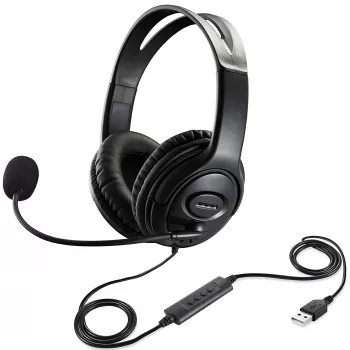
If you want an inexpensive, no-fuss option for everyday play and voice chat, the Wired Gaming Headset with Microphone is a practical choice. It’s designed for straightforward plug-in use, making it easy to swap between devices or hand off to another player without re-pairing or recharging.
Bonus Pick for Off-Screen Breaks
For a quick reset between matches (especially during long queue times), a hands-on desk activity can help. The 3D Wooden Racing Car Puzzle Kit is an in-stock option that fits nicely as a gift idea or a relaxing break from screens.
FAQ
Will a wired gaming headset with microphone work on PC and consoles?
It depends on the connector and your device ports. Many PCs and controllers work best with a single 3.5 mm TRRS plug (combined audio + mic), while some desktop PCs require a splitter for separate headphone and mic jacks.
Why is my mic not being detected even though I can hear game audio?
Common causes include the wrong input device selected in system/app settings, the inline mute switch enabled, or a plug mismatch (TRRS vs TRS). On PCs with separate audio/mic ports, you may also need a splitter adapter, and some apps require mic permissions to be enabled.
Is wired better than wireless for competitive gaming?
Wired is often preferred for stability and consistently low latency, plus it removes charging from the routine. Wireless can be convenient, but performance varies by model, and comfort plus mic clarity still matter either way.










Leave a comment